Disclosure: we make Capturo, a much smaller Mac recorder with no timeline editor. It is in the table for people who may not need an editor at all.
The 20-second verdict
ScreenFlow4/10 rows
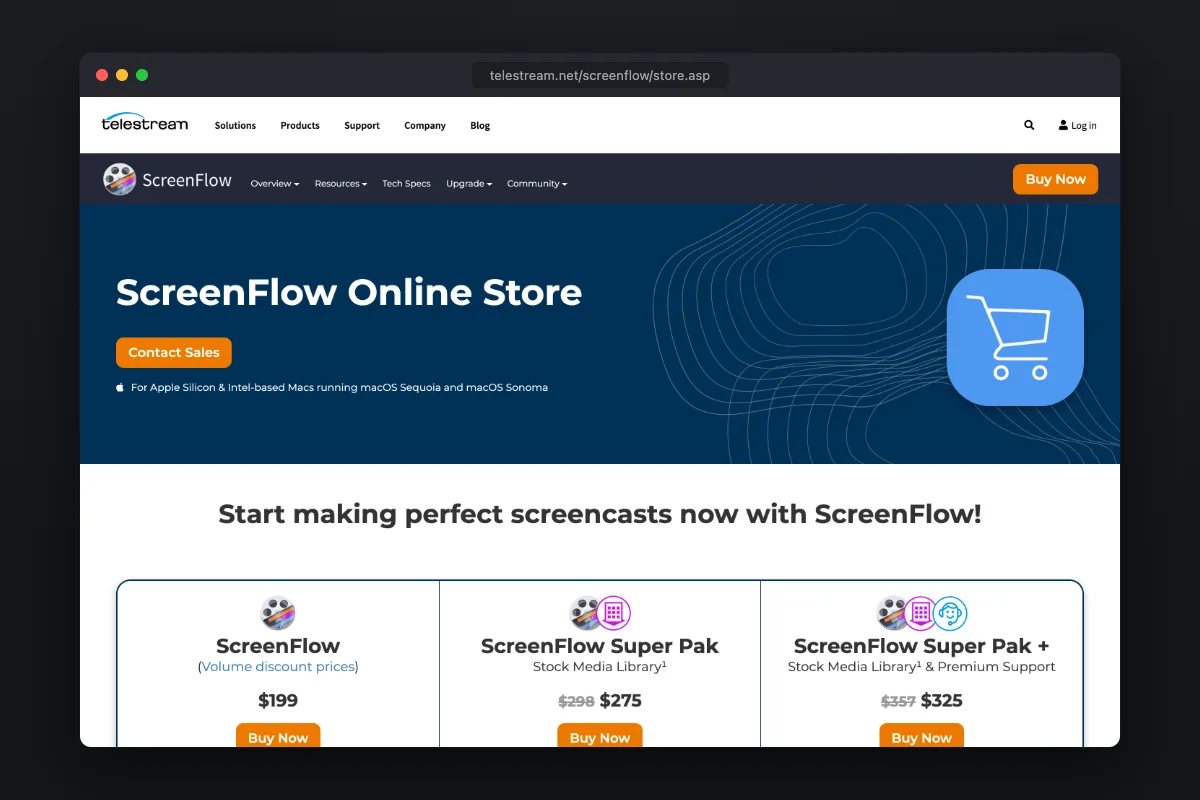
$199 once
Choose it if you edit tutorials only on a Mac and prefer to pay once.
Camtasia6/10 rows
Essentials $179.88/yr
Choose it if you need Windows too, AI voiceover, quizzes, or Snagit in the bundle.
Capturo4/10 rows
$19.99 once
Choose it if your videos are short clips that should look finished without editing.
| ScreenFlow | Camtasia | Capturo | |
|---|---|---|---|
| Price | $199 once (ScreenFlow 10) | $179.88/yr Essentials, $249 Create, $599 Pro | ✓ $19.99 once |
| Cost after 3 years | $199 | $539.64 (Essentials) | ✓ $19.99 |
| Try before buying | ✓ Unlimited trial, watermarked | ✓ Free editor, watermarked | Screenshots watermarked, no recording |
| Multitrack timeline editor | ✓ Yes | ✓ Yes | No |
| AI tools | None listed | ✓ Scripts, voiceover, dubbing (higher tiers) | No |
| Annotated screenshots | No | ✓ Snagit included | ✓ Arrows, text, pixelated blur |
| Quizzes and e-learning export | No | ✓ Quizzes, SCORM | No |
| Platforms | Mac only | ✓ Mac and Windows | Mac only |
| Record an iPhone or iPad | ✓ Yes, over USB | Not listed | No |
| Account required | ✓ No | Yes, TechSmith sign-in | ✓ No |
ScreenFlow prices from Telestream's online store; Camtasia US prices from TechSmith's store, both checked October 21, 2026. Telestream's store lists macOS Sonoma and Sequoia as supported.
The short answer
If you work only on a Mac and want to own your editor, ScreenFlow at $199 once is cheaper than Camtasia after about 13 months and does the core job just as well. If you or your team work on Windows too, want AI voiceover and translation, build e-learning with quizzes, or would use Snagit anyway, Camtasia earns its subscription.
Where ScreenFlow wins
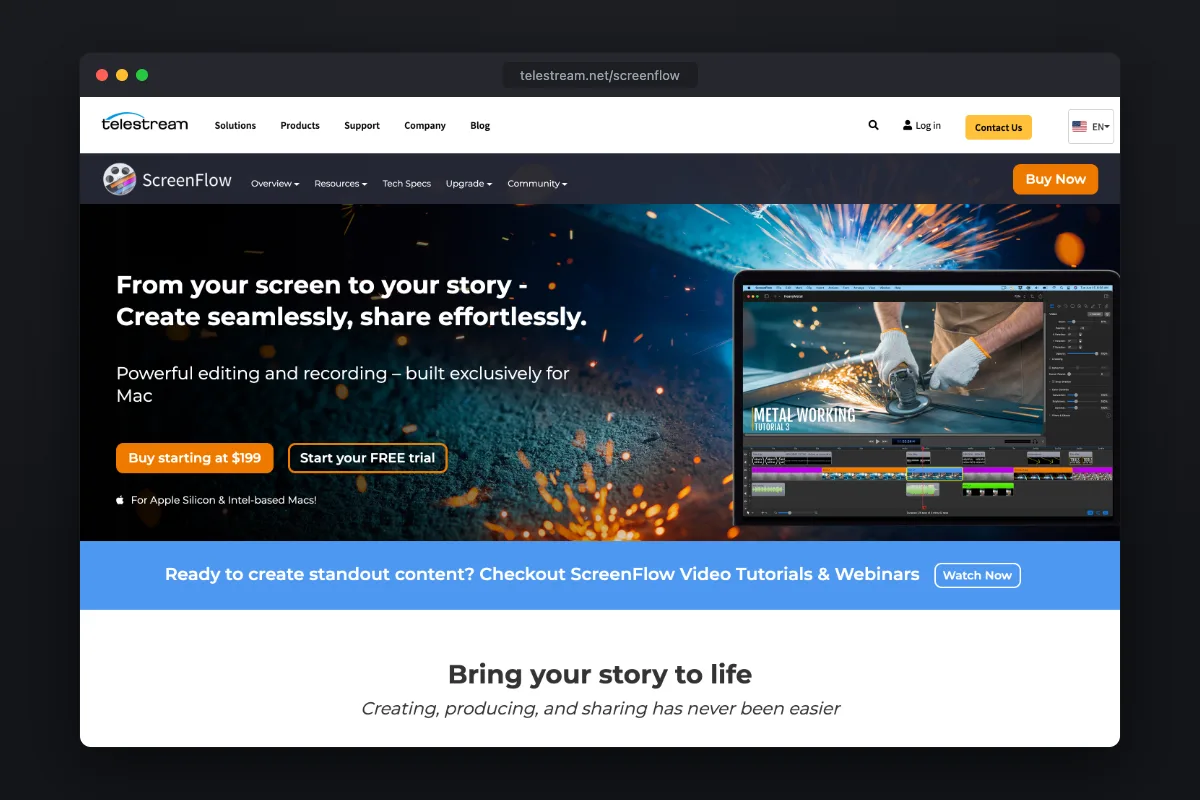
Ownership and Mac focus. ScreenFlow 10 is a one-time $199 purchase with no account. It records the screen, camera and microphone at once, can record an iPhone or iPad connected by USB, and edits on a multitrack timeline with nested clips, markers and a caption editor that burns in or exports subtitles. Exports include ProRes, MP4, GIF and animated PNG. The free trial has no time limit; exports just carry a watermark until you buy. Bundles add a stock media library and premium support.
Where Camtasia wins
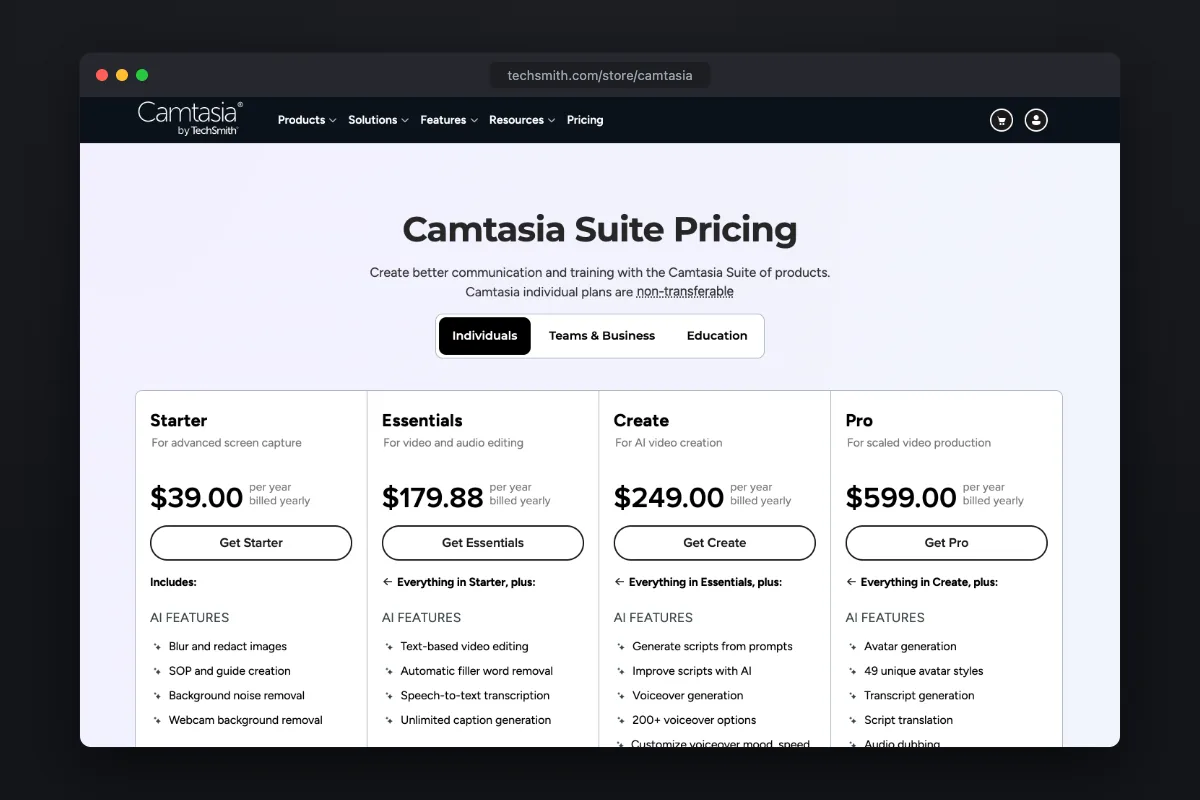
Everything around the editor. Camtasia runs on Mac and Windows with the same projects, records cursor data you can edit after the fact, and adds zoom-and-pan, automatic captions, quizzes and SCORM export for course platforms. Create ($249/yr) brings AI scripts and voiceovers; Pro ($599/yr) adds AI avatars, dubbing and a large stock library. Every plan includes Snagit for screenshots. The catch is that it is subscription only now: stop paying and you lose updates and the AI tools. See Camtasia vs Snagit and Camtasia alternatives.
Do you need an editor at all?
Both of these are for videos you edit: long tutorials, courses, YouTube lessons. Many people searching this comparison actually make short clips, a 30-second feature demo or a bug reproduction, where editing time is the cost they want to avoid.
Capturo for Mac: short clips that need no editing
- Record the screen or an area (⇧⌘9) with system audio, composed live over a gradient background, then turn short clips into a GIF (up to 45 s)
- Optional optional webcam bubble, microphone (macOS 15+) and auto-zoom on clicks (beta)
- Annotated screenshots with your branding on every export
- $19.99 once for 2 Macs, no account
For anything longer than a few minutes, or anything you would cut and rearrange, pick ScreenFlow or Camtasia. Without a license, screenshots work but exports carry a small watermark and screen recording stays locked. There is no trial. More recorders in best screen recorder for Mac.