The one-table answer
| JPG | PNG | |
|---|---|---|
| Compression | Lossy: discards detail to shrink | Lossless: every pixel kept |
| File size, same photo | Small | 5 to 10 times larger |
| Transparency | None; backgrounds go white | Full alpha channel |
| Hard edges and text | Halos and smearing | Pixel-perfect |
| Repeated re-saving | Degrades each time | Never degrades |
| Best at | Photographs | Logos, screenshots, graphics |
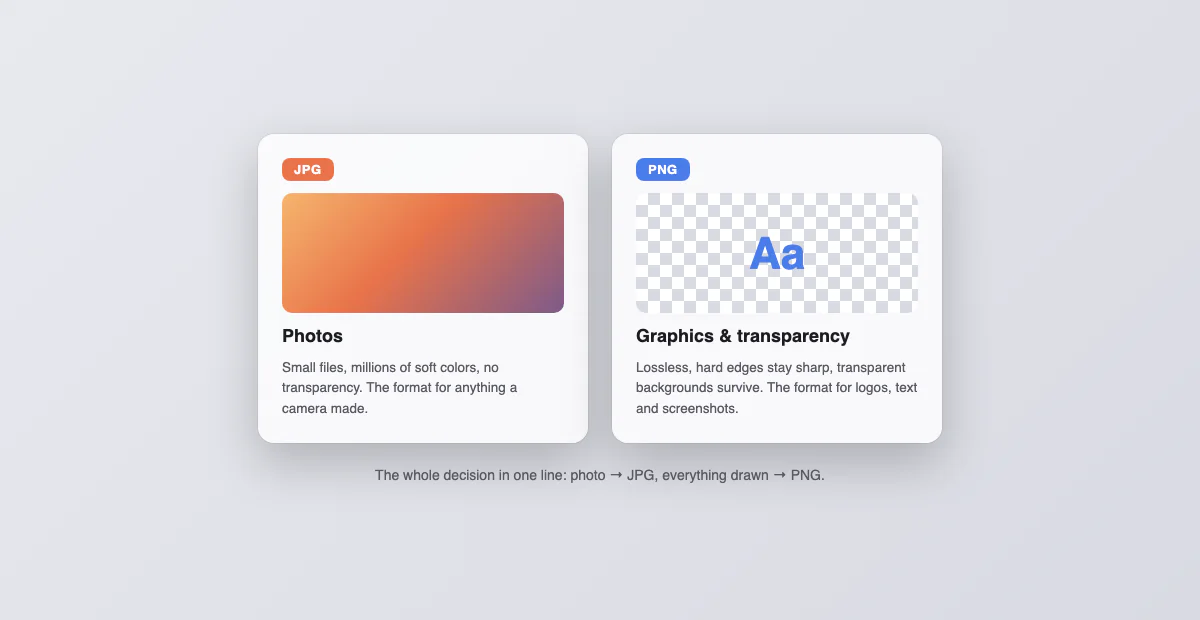
Why the split exists: two compression philosophies
JPG compresses by discarding what eyes forgive: it breaks the image into small blocks and simplifies the color detail inside each, which works brilliantly on the soft gradients of photographs and terribly on the hard edges of text and interfaces. PNG compresses by finding repetition without discarding anything: flat areas of identical color shrink beautifully, which is exactly what logos, charts and screenshots are made of, while photographs (where almost no two pixels match) barely shrink at all. Neither format is better; they are optimized for opposite kinds of images, and every rule of thumb on this page falls out of that one fact.
The decision, case by case
| You have… | Use | Because |
|---|---|---|
| A photo for email, web or chat | JPG | A fraction of the size, invisible loss at 90 percent quality |
| A logo or icon | PNG | Transparency survives and edges stay sharp |
| A screenshot with text or UI | PNG | JPG smears exactly the pixels that matter |
| An image you will keep editing | PNG | No quality loss stacks up across saves |
| A form that demands one format | Whatever it demands | Arguing with a form is not a strategy |
| A photo for print | JPG at maximum quality | Print shops accept it universally; size matters less |
The re-saving trap, in one paragraph
The least-known difference does the most damage. Every time a JPG is edited and saved, it is compressed again, and the losses stack: a meme that has been through ten screenshots and re-uploads visibly rots, and a work image edited across a team degrades the same way. PNG never does this, which is the real reason professionals keep working copies in lossless formats and export JPG only as the final step. If an image will be touched more than once, that alone decides the format.
Screenshots specifically, since that is likely why you are here
Macs, Windows PCs and iPhones save screenshots as PNG (many Android phones, Samsung included, default to JPG), and PNG is the right default: screenshots are text and interface, the exact content JPG mangles. The moment to convert one to JPG is when it stops being a graphic and starts being cargo: an email attachment near the size limit, a form upload, a chat where a 5 MB PNG is rude. Our PNG to JPG converter does that in the browser with a quality slider, and the reverse direction exists for the forms that insist on PNG. To change the format the Mac uses, see how to screenshot on a Mac; to find where the files went, where screenshots go on a Mac.
Where WebP and AVIF fit into this
The modern web formats beat both classics at compression: WebP is roughly a third smaller than JPG at the same quality, AVIF smaller still, and both support transparency. That is why websites serve them, and why right-clicking an image so often saves a file your other software refuses. As delivery formats they have won; as working formats they have not, because support outside browsers stays patchy. The practical stance: let websites serve you WebP and AVIF, and convert to JPG or PNG the moment a file needs to live on your machine, with our WebP and AVIF converters, in the browser, nothing uploaded.
Common myths
"Converting JPG to PNG improves quality." No. The damage already in the JPG stays exactly as it is; PNG only prevents new damage. "PNG is the professional format." Professional for graphics, wasteful for photos: a photographer delivering PNGs is shipping five times the bytes for zero visible gain. "Higher JPG quality is always better." Above roughly 90 percent, file size climbs steeply while visible quality does not; 100 percent JPGs are usually paying double for nothing. "Format changes are risky." A conversion is a copy; the original does not participate and cannot be harmed.
What about GIF, HEIC, SVG and the rest
Quick placements for the supporting cast. GIF survives only for short animations; as a still-image format it lost to PNG decades ago. HEIC is what iPhones shoot: excellent for storage, awkward to share, and our HEIC to JPG guide covers the Mac exits. SVG is not pixels at all but drawing instructions, infinitely scalable and rejected by most upload forms, which is what the SVG to PNG converter is for. And ICO is the favicon container, built from PNGs, one click away in our PNG to ICO converter.
The size math on one real example
Numbers anchor the rule. Take a 12 megapixel photo, 4000 by 3000 pixels:
| Saved as | Typical size | Visible difference |
|---|---|---|
| PNG | 15 to 25 MB | Reference |
| JPG, 90 percent | 2.5 to 4 MB | None to the eye |
| JPG, 75 percent | 1 to 2 MB | Barely, on close inspection |
| WebP, comparable quality | Around 2 MB | None |
| AVIF, comparable quality | Around 1.5 MB | None |
Now flip the content: a 1400-wide screenshot of a settings page runs maybe 180 KB as PNG and would grow muddier and barely smaller as a JPG. Same math, opposite verdict, which is the whole article in two data points.
Metadata: what travels inside each file
Formats carry cargo besides pixels. A JPG from a camera or phone typically embeds EXIF metadata: timestamp, camera model, exposure settings, and often GPS coordinates, which means a shared photo can quietly disclose where it was taken. PNGs, especially screenshots, usually carry almost nothing. Most social platforms strip metadata on upload, but email, cloud drives and direct file transfers do not. When a photo is headed somewhere sensitive, converting or using an export that drops EXIF is a privacy action, not just a format one.
The cheat sheet to walk away with
Photo: JPG at 85 to 92 percent. Logo, screenshot, anything with text or transparency: PNG. Editing not finished: PNG until the last step. Web delivery at scale: let the server serve WebP or AVIF. File refuses to open somewhere: convert a copy, two clicks, in the browser. That covers every case that reaches a normal person in a normal year.