Disclosure: we make Capturo, a Mac app for screenshots and recordings on gradient backgrounds. It is in the table as a third option; the CleanShot vs Shottr verdict stands on its own.
The 20-second verdict
CleanShot X6/10 rows
$35 once, updates $19/yr
Choose it if you want one app for screenshots, recordings and cloud links.
Shottr7/10 rows
Free; $12 or $30 once
Choose it if you only take screenshots and want the lightest, cheapest tool.
Capturo4/10 rows
$19.99 once
Choose it if you mostly record short clips and want them on a polished background.
| CleanShot X | Shottr | Capturo | |
|---|---|---|---|
| Free version | No (30-day refund) | ✓ Free for personal use | Screenshots watermarked, no recording |
| Cheapest paid license | $35 once, 1 year of updates | ✓ $12 once (Basic) | $19.99 once |
| Scrolling capture | ✓ Vertical and horizontal | ✓ Yes | No |
| OCR and QR | ✓ On-device, 30+ languages | ✓ Yes | No |
| Annotation and blur | ✓ Arrows, counters, pixelate | ✓ Text, spotlight, highlights | ✓ Arrows, text, pixelated blur |
| Screen recording | ✓ MP4 or GIF, editor in 5.0 | No | ✓ MP4 with system audio, GIF from clips |
| Backgrounds and branding | ✓ Background tool | Not listed | ✓ Gradients, padding, your logo |
| Cloud share links | ✓ 1 GB included, Pro for more | Your own S3 storage | No |
| App size | Larger | ✓ About 2.4 MB | ✓ About 2 MB |
| Oldest macOS supported | macOS 13 | ✓ macOS 10.15 | macOS 14 |
Prices from cleanshot.com/pricing and shottr.cc/purchase.html, checked October 21, 2026. Shottr requires a license for commercial use.
The short answer
If you never record your screen, Shottr covers what most people use CleanShot for (scrolling capture, OCR, annotation) at a third of the price, in a 2.4 MB app. If you record video, want share links, or like having one polished app for everything, CleanShot X is worth its $35.
Price, including the part people miss
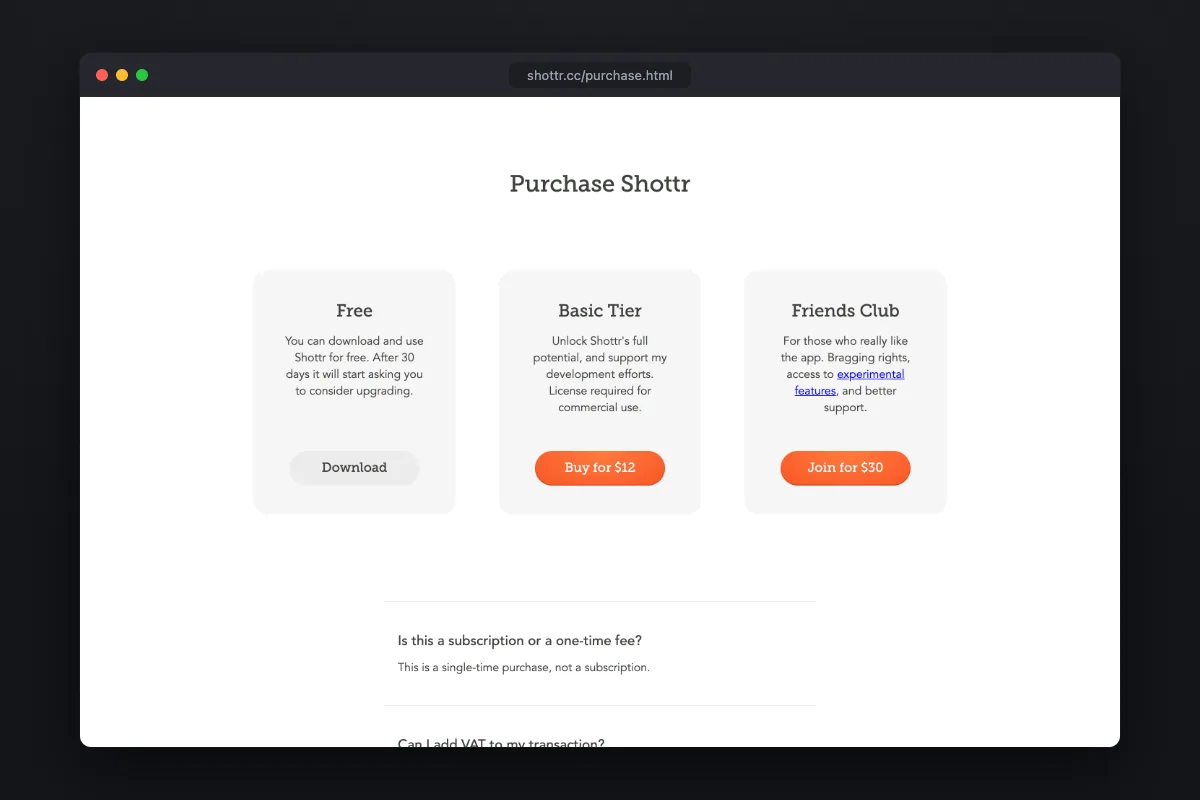
Shottr is often described as "pay what you want", and the download popup does let you enter $0. Its purchase page, though, lists real licenses: Basic at $12 and Friends Club at $30, both one-time, covering one person on up to five Macs, and a license is required for commercial use. CleanShot X is $35 once, which includes a year of updates and 1 GB of CleanShot Cloud; after that the app keeps working and renewing updates is optional at $19 a year. A team that wants unlimited cloud, a custom domain and SSO moves to CleanShot Pro at $10 per user per month.
Where CleanShot X wins
Breadth. CleanShot X records the screen to MP4 or GIF with microphone, computer audio, a camera overlay and visible clicks and keystrokes. Version 5.0 (September 2026) added Studio Mode with a video editor, smart zooms, cursor smoothing and backgrounds. Screenshots get the full set: scrolling capture both ways, on-device OCR, a background tool and pinned captures. CleanShot Cloud gives you a link, transcription, comments and password-protected shares. It is also included in Setapp if you already subscribe. Our CleanShot X alternatives page covers the rest of the field.
Where Shottr wins
Speed, size and price. Shottr is a 2.4 MB app that opens instantly and handles scrolling screenshots, OCR, QR codes, quick annotation and a pixel ruler that designers love. It uploads to your own S3-compatible storage instead of a vendor cloud and asks for no account. It runs back to macOS 10.15. What it does not do is record video, at all. For a stills-only workflow, it is hard to justify paying three times more.
The gap between them: short recordings
Plenty of Shottr users eventually need a quick screen recording, and plenty of CleanShot users bought it only for that. If recordings are the part you care about, and you want them to look finished without an editing pass, that is the job Capturo is built for.
Capturo for Mac: recordings that look finished
- Record the screen or an area (⇧⌘9) with system audio, composed live over a gradient background, then turn short clips into a GIF (up to 45 s)
- Optional optional webcam bubble, microphone (macOS 15+) and auto-zoom on clicks (beta)
- Screenshots with arrows, text, pixelated blur and your logo in the margin
- $19.99 once for 2 Macs, 30-day money-back guarantee
It has no scrolling capture, no OCR and no cloud links, so it pairs well with Shottr for stills. Without a license, screenshots work but exports carry a small watermark and screen recording stays locked. There is no trial. The full list is in best screenshot app for Mac.