The short answer
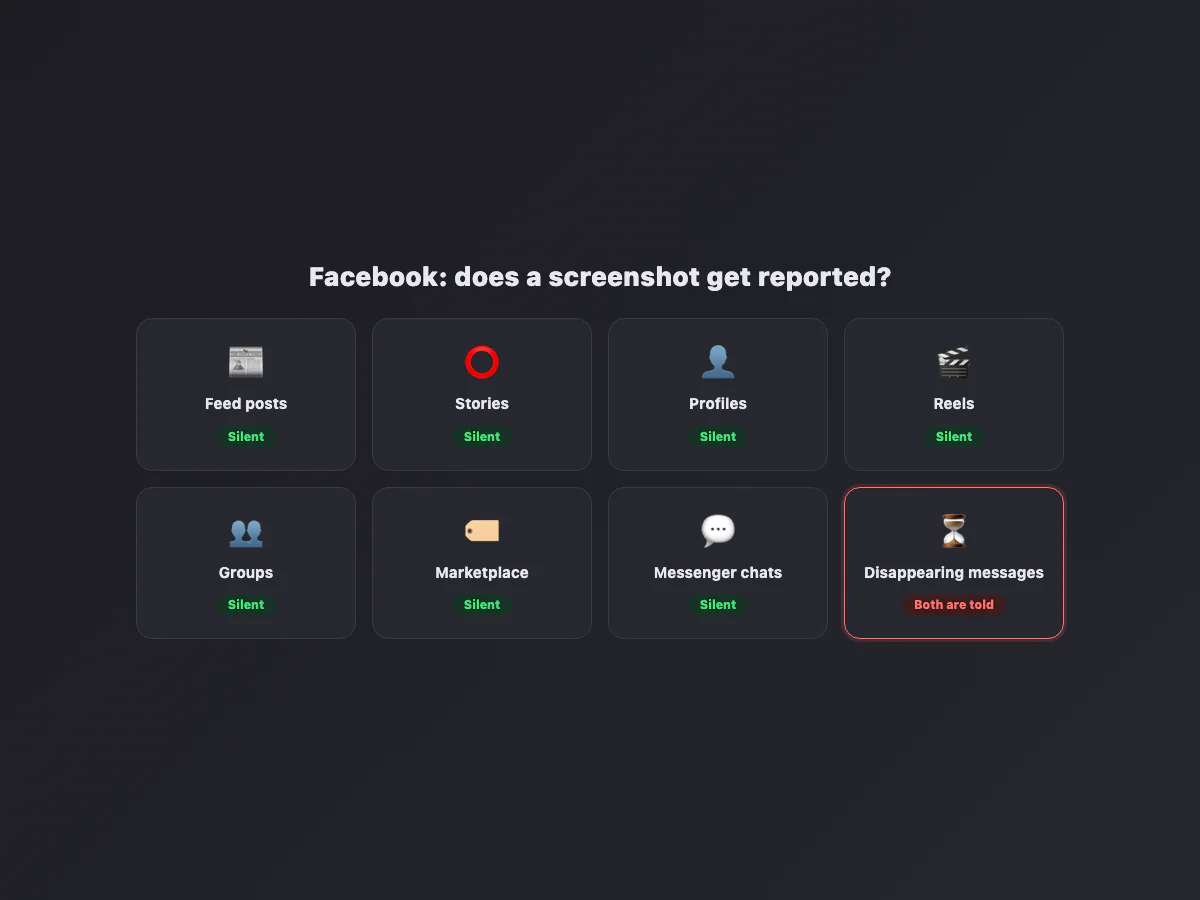
The Facebook app itself never notifies screenshots: not for posts, not for stories, not for profiles, not for anything you can scroll to. The one place a screenshot gets reported is Messenger's disappearing messages (vanish mode and end-to-end encrypted chats with a timer): capture one of those and both people see a notice in the conversation. Everything else on the platform is silent.
Surface by surface
| You screenshot… | Does anyone find out? |
|---|---|
| A post in the feed | No |
| A story | No |
| A profile | No |
| A reel or video | No |
| A group post or comment thread | No |
| A Marketplace listing or conversation | No |
| A regular Messenger chat | No |
| A disappearing message in Messenger | Yes: a notice appears in the chat |
The Messenger exception, in detail
Messenger has two flavors of ephemeral conversation, and both report captures. Vanish mode (swipe up in a chat, where supported) makes messages disappear after they are seen; screenshot one and Messenger drops a "screenshot" notice into the thread. Disappearing messages in encrypted chats (a timer set inside an end-to-end encrypted conversation) behave the same way, a protection Meta announced precisely so people could trust the timer. The notice is quiet: no push notification, no email, just a line in the conversation that the other person sees whenever they next open it.
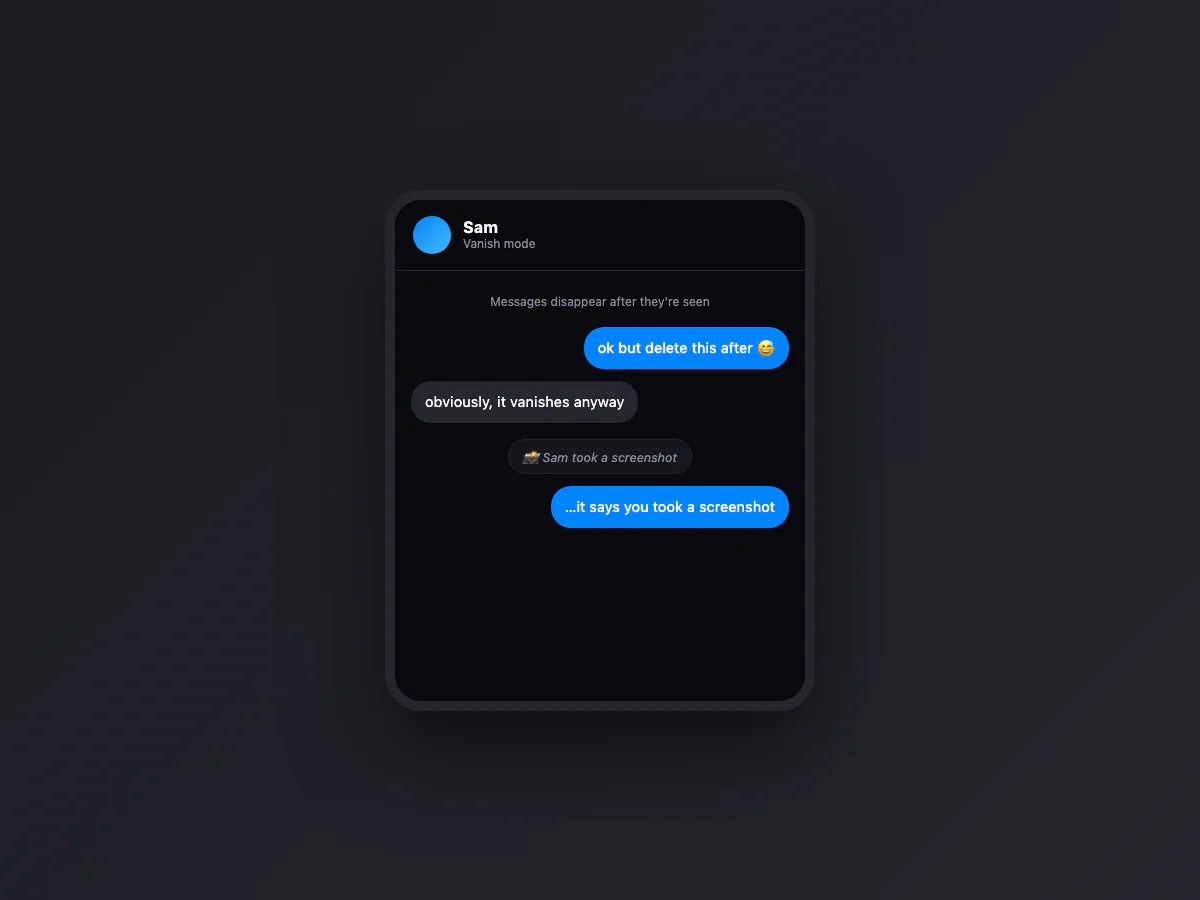
Worth repeating what it does not cover: regular Messenger messages, photos and calls carry no detection at all, encrypted or not. The trigger is the disappearing timer, not the encryption.
Can people see if you screenshot their Facebook story? No
The same rumor that follows Instagram follows Facebook: that story owners get told about screenshots. They do not, and never have. What a story owner sees is the viewer list, the names of people who opened the story while it was live. Screenshot activity is not collected, not shown, and not available to page owners or advertisers either. If you saw someone's story and they saw your name, that is the viewer list doing its normal job, not a screenshot alert.
What Facebook actually shows the other person
| Signal | Who sees it |
|---|---|
| Story viewer list | The story owner, while the story is live |
| "Seen" receipts in Messenger | The sender, per message |
| Active status (green dot) | Contacts, if enabled |
| Typing indicator | The open conversation |
| Profile visitors | Nobody: the feature does not exist |
| Screenshots (outside disappearing messages) | Nobody |
The profile visitors row deserves its own sentence, because an entire scam industry depends on people not knowing it: Facebook has never offered "see who viewed your profile", to anyone, in any country, at any price.
Screen recording follows the same rules
Recording the screen behaves exactly like screenshotting on every Facebook surface: silent everywhere, reported on disappearing Messenger messages. There is no separate recording detection, and no way for a page, group or profile owner to know their content is being recorded. The one practical difference is length: a recording of a story captures it with sound, which matters if your interest is archiving a video before it expires; the notification math does not change.
Groups: what admins can and cannot see
A recurring worry in buy-and-sell and private groups: can the admin tell who screenshots posts? No. Admins see member lists, join requests, post approvals and reported content, and nothing about captures. The privacy of a "private" group is social, not technical: any of its members can screenshot anything and forward it, which is exactly how most group drama escapes. Post accordingly.
Marketplace: the screenshot is your safety tool
On Marketplace, take screenshots on purpose. The listing with its price, the seller's profile, and the key messages of the negotiation: captured at the time, they are your only record if the listing is edited or deleted after a dispute. The seller cannot see you doing it, Facebook does not flag it, and a folder of dated captures has resolved more Marketplace arguments than any support ticket. This is the rare corner of the platform where screenshotting is not just allowed by the design, it is the sensible default.
The "who viewed my profile" apps are all fake
Any app, extension or page promising to reveal who screenshots or visits your Facebook is lying, without exception, because Facebook's API does not expose that data. These scams monetize two ways: subscriptions for invented lists, or credential phishing when they ask you to "log in with Facebook" on their own form. The rule that keeps you safe is short: anything that needs your password to show you watchers is stealing your account.
How Facebook compares with the other apps
| App | Screenshot notifications | Blocking |
|---|---|---|
| Only disappearing Messenger messages | No | |
| No | View-once and vanish mode media come out black | |
| Never | View once media and profile photos come out black | |
| Snapchat | Almost everywhere | No: it notifies instead |
| Telegram | Only in secret chats (iPhone) | Secret chats block captures on Android |
All three Meta apps converge on the same design: ordinary content is capturable in silence, and only explicitly ephemeral content gets protection. Once you know that rule, every surface becomes predictable.
Facebook Dating, where people are most nervous
The corner of Facebook where this question carries the most weight gets the same answer: Dating conversations do not notify screenshots, in either direction. Two practical consequences follow. First, assume anything you send there can be captured, because it can, silently. Second, and this is the useful flip: screenshots are the standard evidence when something goes wrong. Safety organizations advise capturing conversations that turn manipulative or scammy before blocking, because blocking ends your access to the chat. The screenshot is not the etiquette violation in that story; it is the paper trail.
On desktop, nothing changes except the ease
Every rule on this page holds on facebook.com in a browser: no detection, no notification, on any surface. What changes is convenience: a desktop capture renders bigger, avoids the phone's interface chrome, and full-page browser captures grab an entire thread or Marketplace listing in one file. If the capture is destined for a report or a resale listing, the desktop is the better camera, and our Windows and Mac guides cover the exact keys.
If your concern is your own content
The ordering of controls that works: your audience selectors (Friends, Only me, custom lists) decide who can see and therefore screenshot anything; the profile lock available in some countries collapses most of it to friends-only in one tap; and for conversations that must not be archived, disappearing messages in an encrypted Messenger chat is the only surface where a capture at least gets reported. Beyond that, the camera-pointed-at-the-screen problem has no software solution, on Facebook or anywhere else.
And when the screenshots are your own (saving a listing, documenting a conversation for a dispute, keeping proof of an agreement), make them readable: our free screenshot beautifier pads and frames them right in the browser, nothing uploaded.