The screenshot answer, complete in one paragraph
There is no screenshot detection anywhere in TikTok. Videos, carousels, profiles, comments, stories, lives and direct messages can all be captured or screen-recorded without the other person receiving anything: no icon, no chat notice, no push. This covers both directions; you cannot find out who captures your content either, and any app promising that list is a scam collecting logins. That is the entire screenshot story, which is why the rest of this page is about what TikTok does track, because it is more than any of its rivals.
Profile view history: the tracking that is real
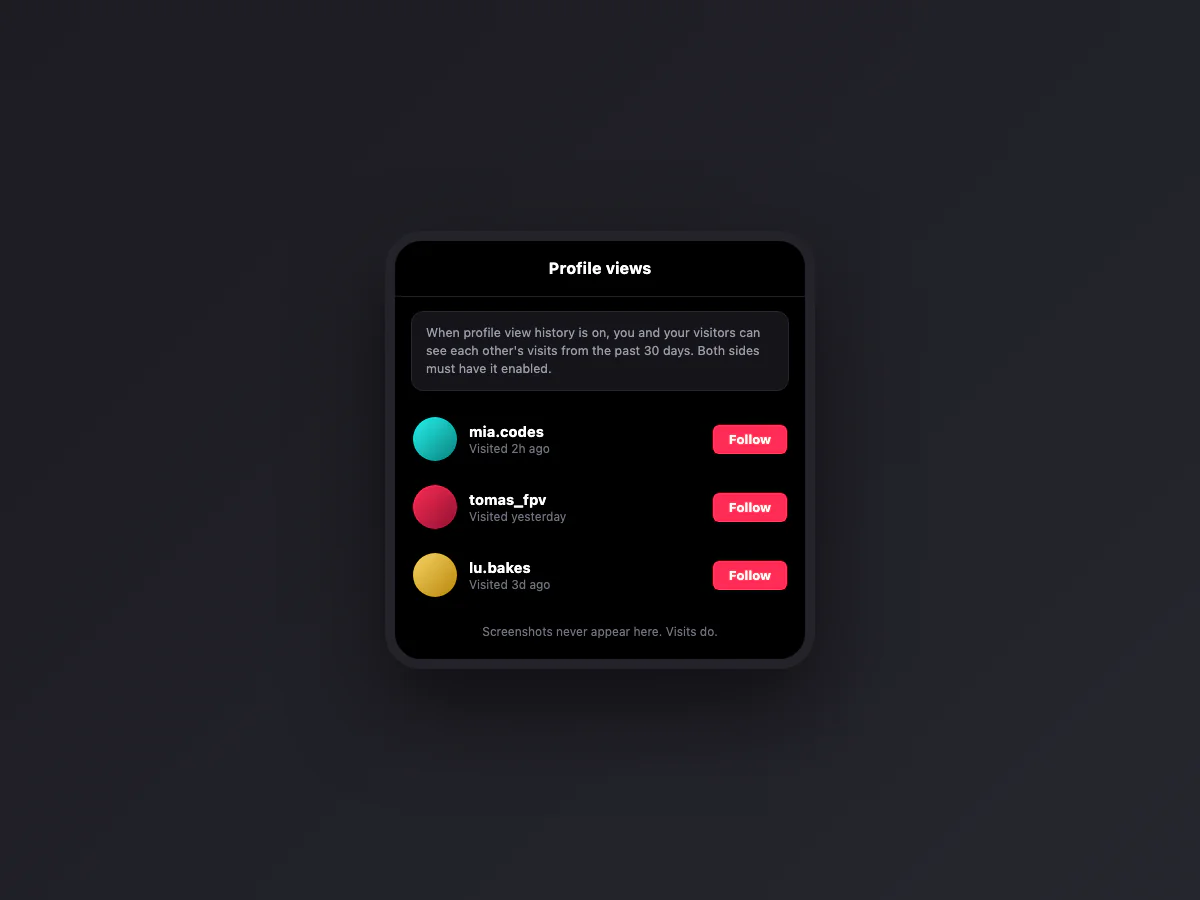
TikTok has a feature none of the other big social apps offer: profile view history. When it is on, you can open a list of who visited your profile in the last 30 days, and, symmetrically, you appear in the list of anyone whose profile you visit. It is strictly mutual: only users who have the feature enabled see visits, and only from other users who also have it enabled. It is available to accounts that are 16 or older with under 5,000 followers.
The catch that surprises people: many enabled it during an onboarding prompt years ago and forgot. If you browse profiles assuming Instagram rules, TikTok may have been reporting those visits all along. Check it in Settings and privacy > Privacy > Profile views, where one switch turns both directions off.
Post view history: the second switch
Same mechanic, applied to videos: with post view history enabled, creators can see which mutuals watched their videos, and your watching becomes visible to creators under the same mutual opt-in conditions. Same settings screen, second switch. Between these two features, TikTok's honest summary is the inverse of the usual question: your screenshots are invisible, your presence is not.
The watermark: how saved videos stay traceable
Downloading a video with the Save Video button burns a moving watermark into the file: the TikTok logo plus the creator's username. That is TikTok's actual anti-theft mechanism, and it works socially rather than technically: a reposted video advertises where it came from. Note what the watermark is not: it is not a notification (creators are not told who downloaded, they only see aggregate save counts), and it does not apply to screen recordings, which is exactly why recording exists in the repost economy. Creators who want to cut that path off can disable downloads per video or account-wide, forcing would-be savers to the recorder, where at least quality drops.
What creators can actually see
The analytics creators get are aggregates with a few named exceptions. Named: profile visitors and post viewers under the mutual opt-ins above, plus everyone who likes, comments, favorites or shares to a specific friend. Anonymous: view counts, watch time, save counts, share counts and the follower breakdown. Nowhere in that stack does "screenshotted by" or "screen recorded by" exist. If your video leaked somewhere, the analytics cannot tell you who; the watermark or the absence of one tells you how.
DMs, stories and lives, quickly
Three surfaces people ask about separately, all with the same answer. DMs: no capture detection, and TikTok DMs have no disappearing-message mode, so unlike Instagram or Messenger there is no protected zone at all. Stories: the poster sees a viewer list, exactly like everywhere else, and nothing about captures. Lives: hosts see who is in the room and who comments; recordings of the stream are invisible to them. The pattern holds platform-wide with zero exceptions, which is rare enough to be worth stating twice.
Your five-minute privacy audit
If this article changed your mental model, close the loop in the app: open Settings and privacy > Privacy and walk four rows. Profile views: decide whether the mutual visibility trade is worth it to you. Post views: same decision for videos. Downloads: choose whether your videos can be saved with the watermark or not at all. Comment and DM scopes: while you are there. Five minutes, and TikTok's real visibility surface, the one that exists, is configured on purpose instead of by onboarding accident.
Downloading versus capturing: what each leaves behind
The comparison matters because the two acts have opposite footprints. A screenshot or screen recording tells nobody anything, ever. Using Save Video inside TikTok stamps the file with the moving watermark and the creator's handle, and it bumps an aggregate save counter the creator can read in analytics; no name attached, but a trace exists. Third-party watermark-removal sites add their own problems: many recompress the video badly, some inject their own logo, and the paste-a-link model means you are telling an unknown server exactly what you watch. If a clean copy matters, the screen recording you already know how to make is often the most private route there is.
Screenshotting your own TikToks, properly
For covers, thumbnails and promo images of your own videos, the phone screenshot is the clumsy path: the interface buttons sit on top of the frame. Two cleaner routes. Pause the video and the interface fades after a moment on many versions; capture then. Or open your video on tiktok.com on a desktop, where it renders large, the controls hide when the cursor leaves the player, and a region capture grabs a clean frame at better resolution than a phone screen. The same desktop route is the sane way to quote your own comment threads without cropping around a keyboard.
The per-video switches that actually exist
What you cannot control: screenshots and recordings by viewers, ever. What you can: each upload has a Allow downloads toggle (and an account-wide default under Settings and privacy, Privacy, Downloads), which removes the Save Video button and its watermark trail; commenting, Duet and Stitch have per-video switches in the same menu; and a private account limits viewing to approved followers, which shrinks the audience that could capture anything at all. None of it stops a determined screen recorder, and knowing that is precisely what the privacy audit above is for.
Why everyone believes the opposite
Two reasons the myth survives. Snapchat trained a generation to expect screenshot alerts, and Instagram briefly tested story screenshot alerts in 2018, a test people still attribute to every social app. Videos claiming "TikTok now notifies screenshots" get reposted without a source. If you want certainty about the app version in your hands: two accounts, one screenshot, thirty seconds. As of this writing, silence is what you will find. Photo apps like VSCO are just as quiet, and so are Instagram stories.
Capturing TikToks for a moodboard, a report or a meme archive? Our free screenshot beautifier frames them cleanly in the browser, nothing uploaded, and the full map of every app's screenshot behavior starts at our Instagram guide.